Included
IP intelligence
View approximate location, ASN, ISP, organization, timezone, and network details for public IPv4 and IPv6 addresses.

IP LensIP lookup and network tools
IP lookup, DNS inspection, registration data, subnet calculations, and more—built into one focused networking toolkit for iPhone.
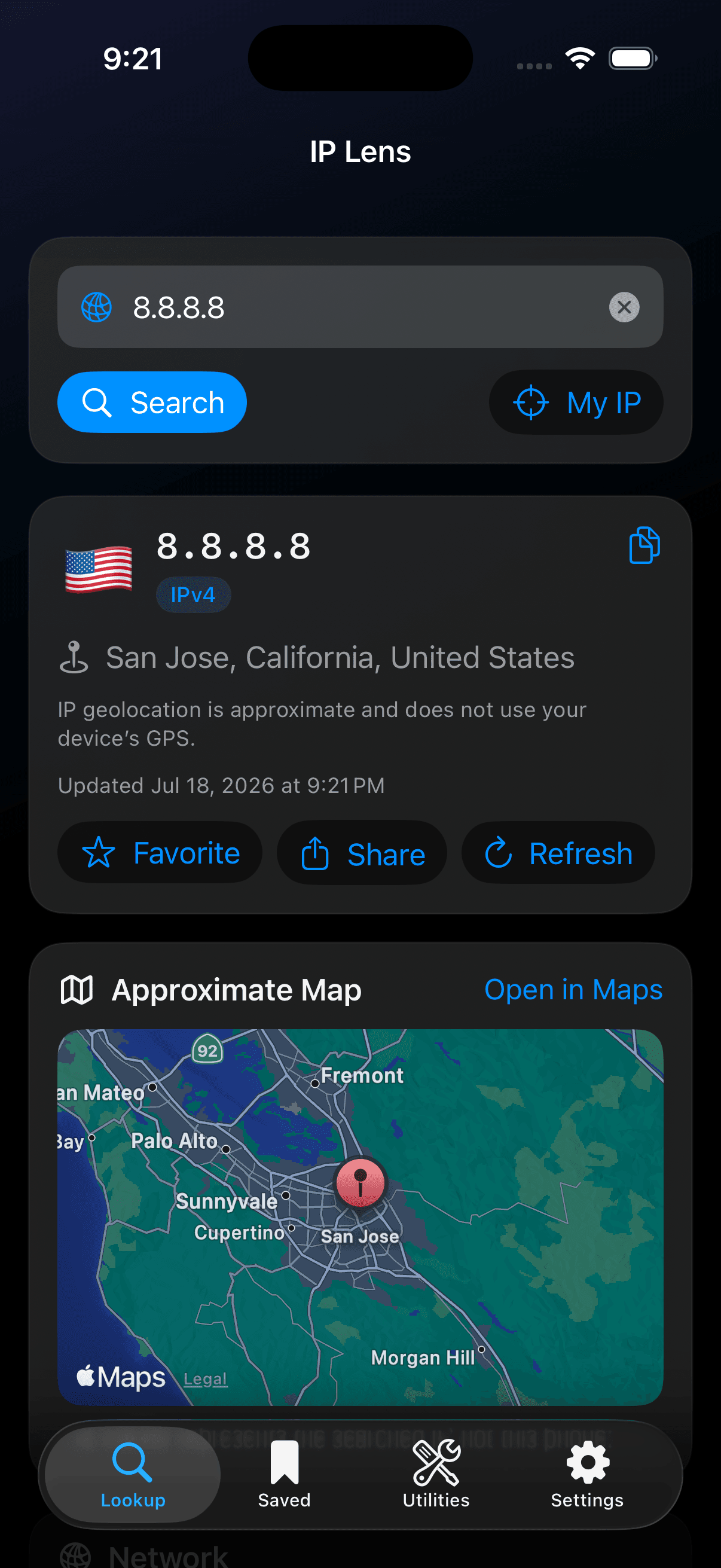
A native, focused workspace for moving from an address or domain to the details that matter—across individual lookups, DNS records, batch analysis, and offline subnet math.
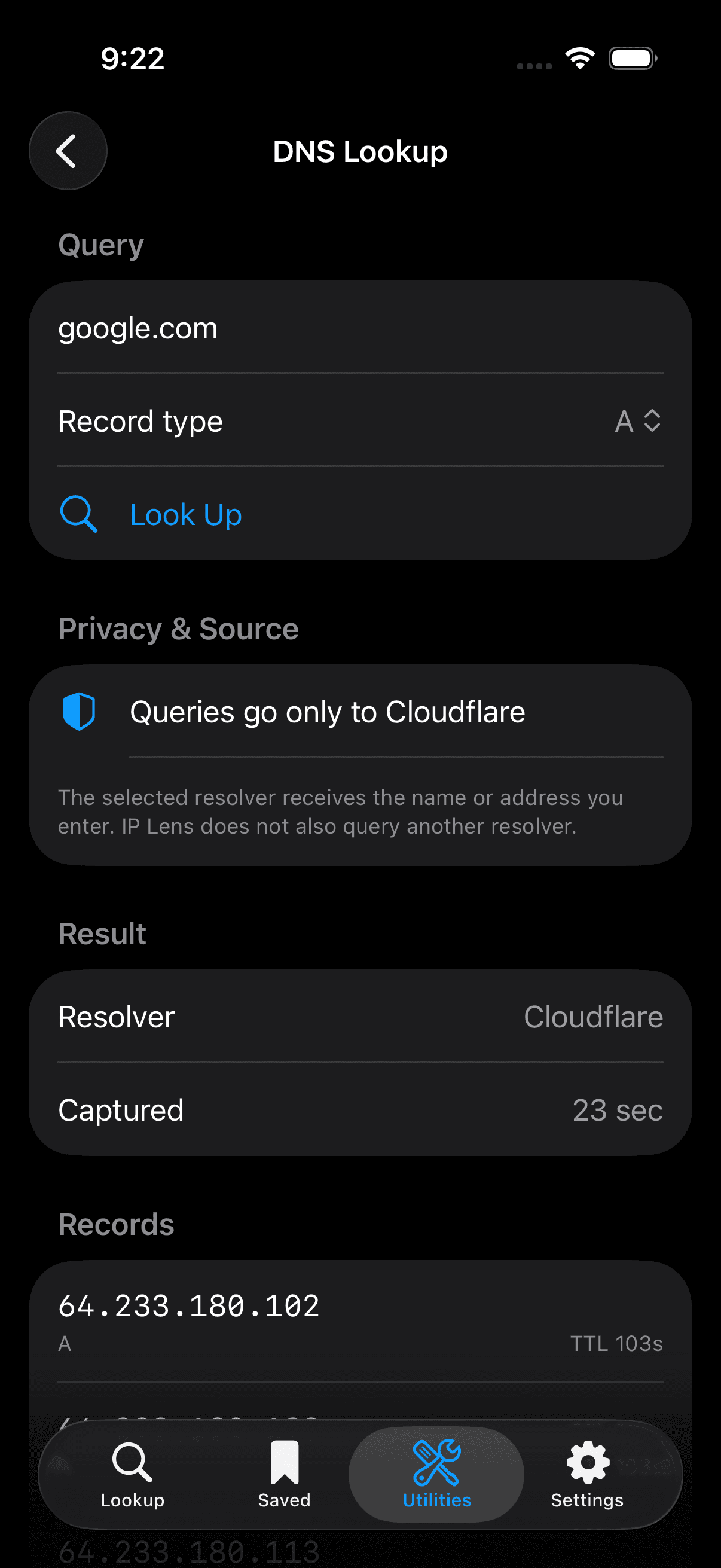
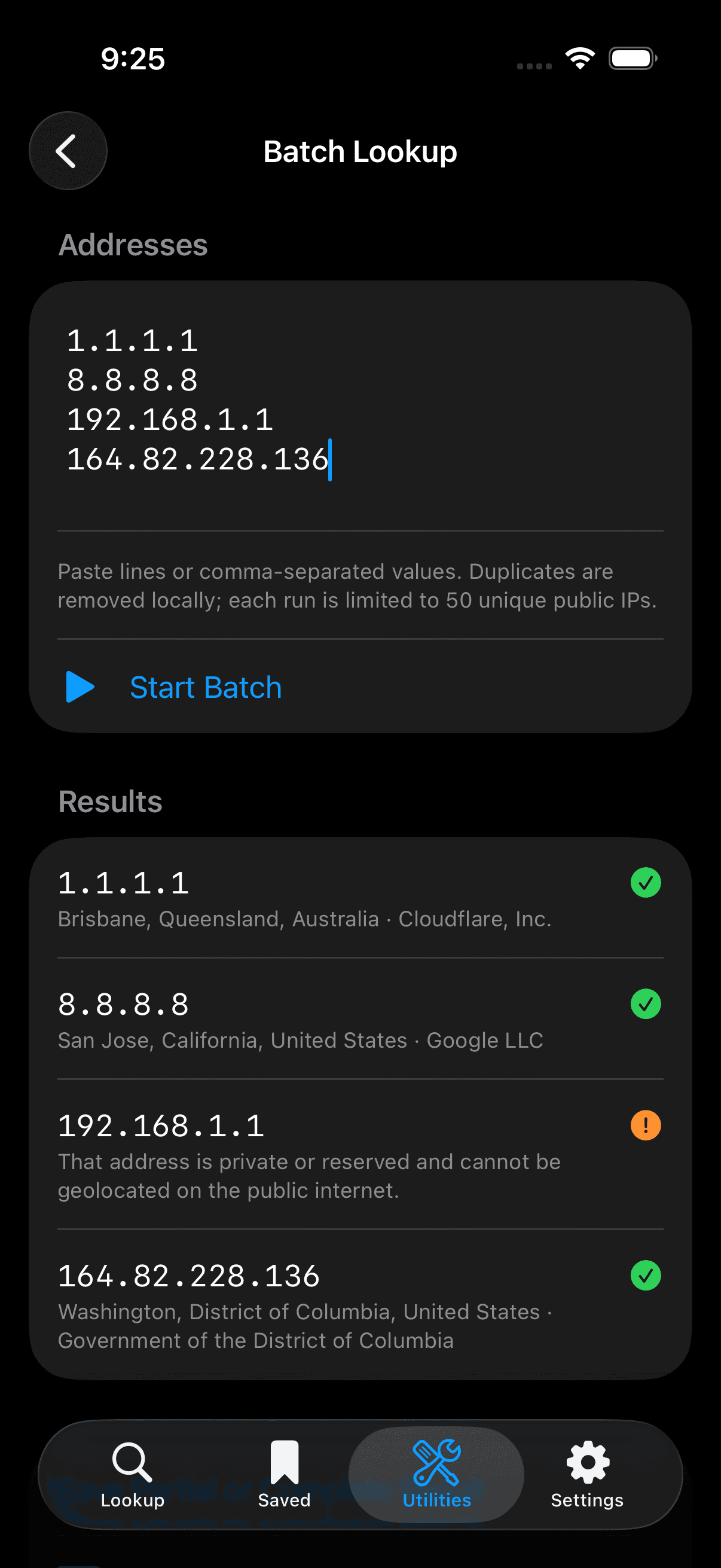
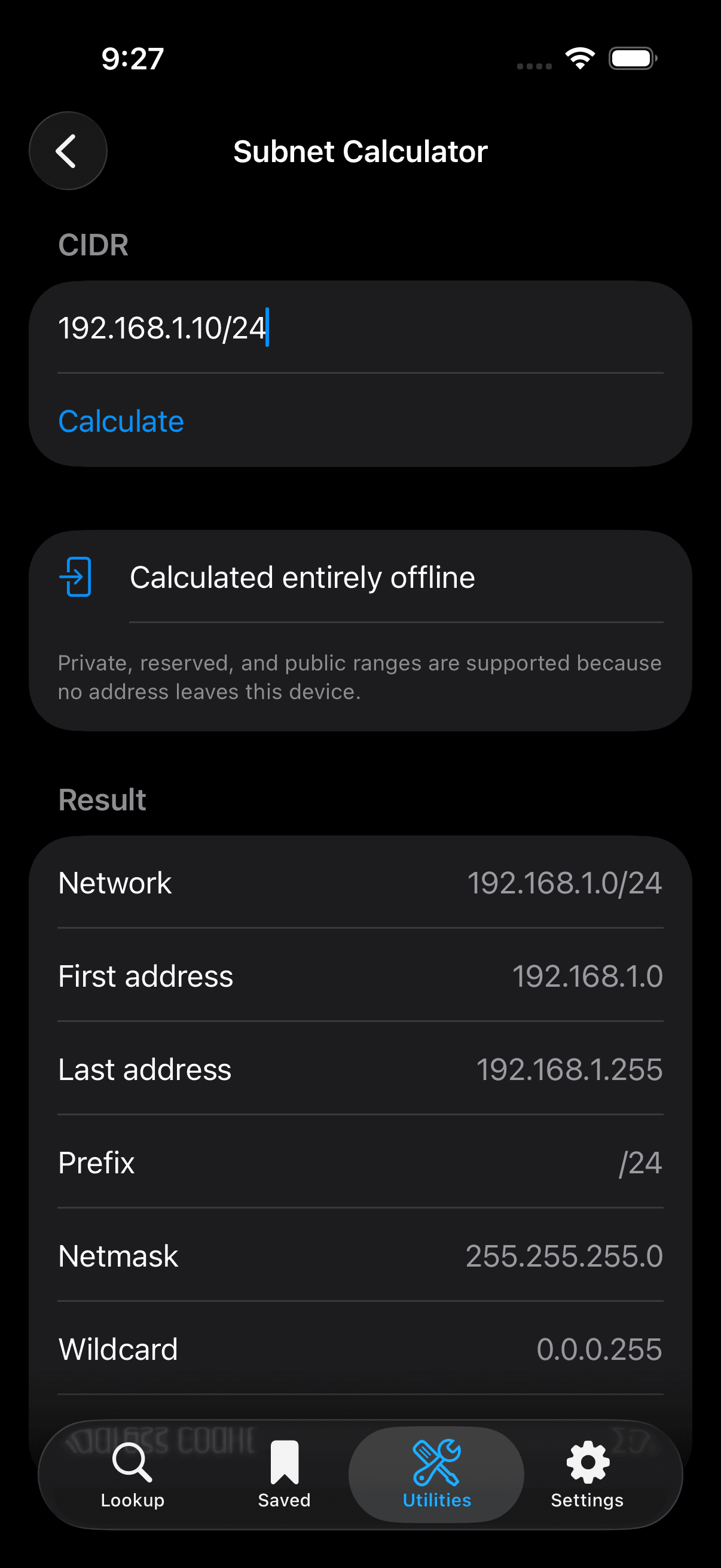
Inspect an address, resolve a domain, review registration data, or calculate a network without jumping between disconnected utilities.
View approximate location, ASN, ISP, organization, timezone, and network details for public IPv4 and IPv6 addresses.
Inspect A, AAAA, CNAME, MX, NS, TXT, and PTR records through your selected DNS-over-HTTPS resolver.
Analyze up to 50 IP addresses in one organized workflow.
Review domain, IP, and ASN registration data directly from the authoritative RDAP registry.
Calculate IPv4 and IPv6 networks, address ranges, masks, prefixes, and capacity entirely offline.
Look up the hostname associated with an IP address when one is published.
Keep lookup history, favorites, and saved DNS, RDAP, and batch captures available on-device.
Prepare CSV or JSON files locally, then choose where to share them with the iOS share sheet.
IP Lens organizes related network details into a compact hierarchy, so the next useful signal is close to the first.
Reserved documentation address. The values below are fictional and demonstrate layout only.
IP Lens keeps the request path direct and understandable. It does not operate its own lookup backend.
Free IP lookups go to ipwho.is; personal-key lookups go to ipwhois.pro. DNS queries go only to the selected Cloudflare or Quad9 resolver, while registration queries go directly to the authoritative RDAP registry.
For people who want a useful answer without an account, a dashboard, or an ad between them and the result.
IP Lens is planned as a $1.99 paid App Store download. One purchase, with no advertising, StoreKit upsells, or recurring subscription.
Planned App Store price · USD
What to expect from IP Lens before it reaches the App Store.
No. IP Lens does not require an account.
No. The app does not contain advertisements.
No. IP Lens is intended to be a one-time App Store purchase.
New IP, DNS, reverse DNS, and registration lookups require a connection. Saved captures and the IPv4/IPv6 subnet calculator work offline.
Free IP lookups use ipwho.is, while personal-key mode uses ipwhois.pro. DNS queries go only to the selected Cloudflare or Quad9 resolver. Registration queries go directly to the authoritative RDAP registry selected with IANA bootstrap data.
No. IP geolocation is an estimate and may not represent a device's physical position.
IP Lens supports iPhone models running iOS 17 or later. iPad and Mac layouts are not part of version 1.0.
Use the IP Lens support page for reporting details and contact information.
Open supportFocused tools, native performance, and no recurring subscription.